
January 29, 2026
Share this page


12-inch vs. 13-inch tablet: Which is best for you?
How do you work, learn, and create every day? Your answer can help you choose between a 12-inch and a 13-inch tablet. If you’re exploring laptops, tablets, or versatile 2-in-1 PCs, Microsoft Surface Pro AI PCs stand out as a top contender. Known for its sleek design, powerful performance, and tablet-to-laptop flexibility, Surface Pro delivers the best of both worlds.
This guide will help you decide which tablet size—12-inch or 13-inch—fits your lifestyle and priorities.
Why tablet size is important
A tablet’s size influences how you work, create, and connect every day:
- Portability: A 12-inch tablet is lighter, more compact, and easier to carry—all day, anywhere. Surface Pro, 12‑inch is ideal for students, travelers, and mobile content creators.
- Productivity: A 13-inch large tablet gives you more screen real estate for multitasking, editing, and navigating complex workflows. Surface Pro, 13‑inch is great for professionals, creatives, and power users.
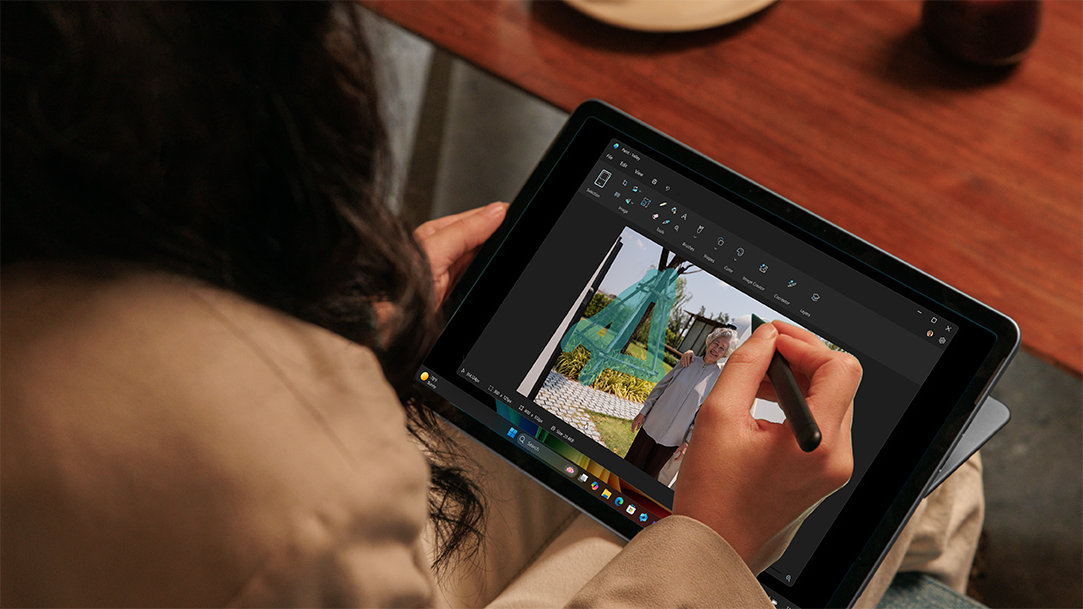
- 2‑in‑1 versatility: With touch, voice, Surface Slim Pen2 (with its generative AI technology), and attachable keyboards, Surface Pro, 12-inch and Surface Pro, 13-inch switch seamlessly between tablet creativity and full laptop productivity.
Comparing Surface Pro, 12-inch vs. Surface Pro, 13-inch
When deciding between Surface Pro, 12‑inch and Surface Pro, 13‑inch, it comes down to how you balance mobility and workspace. Both deliver the intelligence of AI, long battery life1, the security of Windows 11, and the performance of Qualcomm Snapdragon® X Series processors. And there are differences to consider.
Dimensions & weight
- Surface Pro, 12‑inch: Ultra‑thin and ultra‑portable, starting at 1.5 lbs. (686 g), built for mobility without compromise.
- Surface Pro, 13‑inch: Slightly larger at 1.97 lbs. (895 g), providing a more expansive canvas that still travels easily.
Display quality
- Surface Pro, 12‑inch: The LCD touchscreen gives you a bright, responsive display and is perfect for inking, browsing, and note‑taking.
- Surface Pro, 13‑inch: The OLED or LCD HDR touchscreen gives you deeper contrast and richer visuals for design, video, and content creation.
Performance
Surface Pro 2-in-1s are powered by Snapdragon® X Elite and Plus processors, specialized computer chips for AI-intensive processes like real-time translations and image generation. Both processors give you unmatched performance, all-day battery life, and advanced AI features thanks to a neural processing unit (NPU) that delivers 45 trillion operations per second (TOPS).
- Surface Pro, 12‑inch: Snapdragon® X Plus (8‑core) with 16GB LPDDR5x RAM and choice of 256 GB or 512 GB UFS storage.
- Surface Pro, 13‑inch: Configurable with Snapdragon® X Plus (10‑core) or Snapdragon® X Elite (12‑core), RAM up to 64GB, and removable Gen 4 SSD options (256GB, 512GB, 1TB).
Battery Life
Battery life matters when you’re working or creating on the go. Both Surface Pro sizes deliver all-day power, but here’s how they compare:
- Surface Pro, 12‑inch: Up to 16 hours of local video playback; up to 12 hours of active web usage.
- Surface Pro, 13‑inch: Up to 14 hours of local video playback; up to 10 hours of active web usage.
Price
Surface Pro, 13‑inch typically involves a higher price thanks to its OLED/HDR display options, higher RAM ceilings, and removable SSD configurations. If budget is a primary driver, Surface Pro, 12‑inch offers exceptional value without compromising performance.

AI art created via Copilot
Which size fits your lifestyle?
Your lifestyle and priorities determine which size delivers the best experience.
- For students & travelers: If you’re constantly on the move, the Surface Pro, 12‑inch shines. It’s lighter, easier to carry between classes or flights, and delivers all‑day battery life1. Pair it with Surface Slim Pen3 for natural note‑taking and annotations. Attach the Surface Pro 12‑inch Keyboard for laptop‑level productivity.
- For professionals & creatives: For design, video editing, coding, and heavy multitasking, Surface Pro, 13‑inch is your best bet. The larger display (OLED or LCD HDR) enhances visual work, while configurations with Snapdragon® X Elite, RAM up to 64GB, and fast USB4 ports keep demanding workflows smooth and responsive.
- For hybrid users: Split your time between mobility and deep work? Surface Pro, 13‑inch offers a comfortable workspace without sacrificing portability, while Surface Pro, 12‑inch delivers uncompromising mobility with enough screen to handle everyday tasks.
Accessories & keyboard experience
Turn your tablet into a powerful laptop in a click. Surface Pro keyboards3 feature a stable, durable design, full‑size backlit keys, and a precision touchpad—ideal for writing, editing, and multitasking. Plus, productivity‑boosting keys like:
- Copilot key4: Tap into Microsoft Copilot—your AI companion—to get answers, draft content, and accelerate tasks.
- Microphone mute key: Quickly mute/unmute during calls.
- Snipping key: Capture screenshots and snip instantly.
For inking and creativity, Surface Slim Pen delivers precise, natural writing that feels like pen on paper—perfect for notes, sketches, storyboards, and edits.
AI productivity, security, and sustainability
Every Surface Pro is built to help you do more—with AI‑accelerated power and industry-leading AI experiences that elevate work and creativity, such as:
- Copilot, your AI companion: Ask, create, and get things done faster—clear, conversational, and integrated.
- Recall (preview)5: Find documents, emails, and web pages instantly by describing how you remember them.
- Live Captions with translations6: Real‑time translation into English from 40+ languages for live and recorded audio.
- Windows Studio Effects: Look and sound your best in meetings with AI‑powered enhancements.
- Photos & Cocreator: Edit, enhance, and visualize ideas with AI—just describe or draw, and watch it come to life.
Surface Pro also delivers peace of mind and purpose:
- Security: Microsoft Pluton TPM 2.0 is a security processor built right into the CPU of Surface. Pluton acts like a secure vault within Surface, safeguarding sensitive information, such as passwords, online account credentials, and personal data
- Sustainability: Surface Pro 2‑in‑1 PCs are designed with sustainability in mind—supporting responsible innovation while delivering premium performance. Surface Pro 2-in-1s are built with recycled aluminum alloy, recycled rare earth metals, and they are ENERGY STAR® certified7.
- Reliable connectivity: Whether you're in the classroom, at home, or traveling abroad, Surface Pro helps keep you online with Wi-Fi 7, optional 5G8,9, and mobile hotspot support.
The freedom of choice
You can count on Surface Pro to work like a laptop and play like a tablet—all with the intelligence of AI in one sleek device.
With Surface, the choice is yours. Choose Surface Pro, 12‑inch if portability, lighter weight, and budget are top priorities—ideal for students, travelers, and mobile creators. Choose Surface Pro, 13‑inch if you need more screen space, higher performance configuration options, and advanced connectivity—ideal for professionals and creatives.
- DISCLAIMER: Features and functionality subject to change. Articles are written specifically for the United States market; features, functionality, and availability may vary by region.
- [1] Battery life varies significantly based on usage, network and feature configuration, signal strength, settings and other factors. See Surface Battery Performance for details.
- [2] Surface Slim Pen (2nd Edition) experiences and compatibility vary by which Surface device you are using it with. Visit Surface Slim Pen Compatibility to learn more.
- [3] Keyboard sold separately. Use Copilot key with supported Windows 11 devices; feature availability varies by device and market, see aka.ms/KeySupport.
- [4] Use Copilot key with supported Windows 11 devices; feature availability varies by device and market, see aka.ms/KeySupport.
- [5] Recall is coming soon through a post-launch Windows Update. Optimized for select languages (English, Chinese (simplified), French, German, Japanese, and Spanish.) Content-based and storage limitations apply. See https://aka.ms/copilotpluspcs.
- [6] Currently supports translation for video and audio subtitles into English from 40+ languages. See http://aka.ms/copilotpluspcs.
- [7] Computers that have earned the ENERGY STAR label are third-party certified to be energy efficient and use 25% - 40% less than conventional models by using the most efficient components and better managing energy use when idle.
- [8] 6GHz band not available in all regions.
- [9] Surface Pro with 5G only. 5G not available in all areas; compatibility and performance depends on carrier network, plan and other factors. See carrier for details and pricing.
Mentioned in this article

Compare Surface Copilot+ PCs
You may also like

The differences between Surface Laptop and Surface Pro from Microsoft

Why a Microsoft Surface is the best Copilot+ PC experience
